Select AllCopyCutPasteUndo the last editRedo the last editGo to startGo to endToggle full screen
Loading...
The Graphics panel contains the Logo turtles and the graphics that you create with them.
Graphics
The Listener panel accepts your Logo commands when you press the ENTER key,
and displays the results of the execution of your commands. Use the Arrow Up
and Arrow Down keys to recall previous inputs.
Listener
The Editor panel lets you write several Logo commands or procedure definitions
together. Execute these commands by clicking the "Run" button. Click or double-click a command
or an error and wait for two seconds to see a detailed description.
This panel displays the Logo program code that your Blocks create. If you click "Run",
this code will be executed. Click or double-click a command
or an error and wait for two seconds to see a detailed description.
Editor
This panel is only visible during debugging. It displays the currently executing procedure and the current line.
Current Procedure
This panel is only visible during debugging. It displays the names available
to the selected procedure in the Procedure Call Chain panel together with their values, which can be changed.
Names
Name
Defined in
Value
This panel is only visible during debugging. It shows which procedure called which
procedure at the time of the pause. Click any line to display the Logo procedure
and its current line for that line, and the names available to that specific invocation of the procedure.
Procedure Call Chain
Procedure
Line
Code
The Blocks panel lets you program Logo visually by collecting small building
blocks, like the assignment of variables, loops, turtle movements, and more.
The blocks create Logo output in the Editor panel that you can execute afterwards.
Are you sure that you want to exit Terrapin Logo?Are you sure that you want to exit Logo Blocks?
"%1" contains some of the characters {}[]()|&~!^=.:Your changes have been recorded.We could not record your changes! Reason:
If you load the current turtle shape, your drawing will be erased.
Are you sure?
Are you sure that you want erase everything and start over?
Warning!
You are about to erase the content of your Editor panel. Do you want to continue?
Warning!
You are about to erase everything. Do you want to continue?
Warning!
You are about to overwrite the content of your Editor panel with new text. Do you want to continue?
Please define a procedure ABOUT that either prints or uses the
ALERT command to display an alert box to display information about
your Logo program.
Logo cannot display a required popup window. Please open the Settings page (Preferences on the Mac), click "Advanced", click "Privacy and Security", "Site Settings". Click "Pop-ups and redirects", and add
%1 to the list of approved domains.
Logo cannot display a required popup window. Please open the Settings page (Preferences on the Mac),
select "Privacy and Security", and scroll down to "Permissions". Click the "Exceptions" button for
the "Block pop-up windows" setting, and add https://%1 to the list of approved domains.
Logo cannot display a required popup window. Please open the Preferences panel, select Web Sites, select Pop-Up Windows,
and add %1 to the list of approved domains.
Logo cannot display a required popup window. Please open the browser preferences page, locate the entry where you can
configure the use of popup windows, and add %1 to the list of approved domains.
Welcome to Terrapin Logo!Your license expires in %1 days.Your license expires tomorrow!Your license expires today!The image will appear in a new tab. You can select its storage location
when you click/tap and hold the image. Close the new tab after saving the image.
Your browser does not support Bluetooth connectivity. Without this feature, Logo cannot
talk to Bluetooth devices. Please use a browser that supports Bluetooth connectivity, such
as the Chrome browser, or Edge on Windows. See this page for a complete list of compatible browsers.
Browsers for Apple handheld devices do not support Bluetooth connectivity. Without this feature, Logo cannot talk to Bluetooth devices.
 Loading...
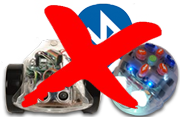 Your browser does not support Bluetooth connectivity. Without this feature, Logo cannot
talk to Bluetooth devices. Please use a browser that supports Bluetooth connectivity, such
as the Chrome browser, or Edge on Windows. See this page for a complete list of compatible browsers.
Your browser does not support Bluetooth connectivity. Without this feature, Logo cannot
talk to Bluetooth devices. Please use a browser that supports Bluetooth connectivity, such
as the Chrome browser, or Edge on Windows. See this page for a complete list of compatible browsers.